
CHOOSING SOFTWARE
Spare parts catalog software: how to choose without regrets
Most comparisons of parts catalogue software compare features. The decision rarely turns on features. It turns on how a buyer finds a part they cannot name, and on whether the catalogue lives where that buyer already is.
We sell one of these products, so read the criteria rather than any verdict. The four approaches below are genuinely different, and choosing the wrong one is expensive in a way that only becomes obvious a year later.
The four approaches, and what each is actually for
1. The diagram as a document
A PDF, a flipbook or a scanned manual, linked from the product page. This is where most spare-parts businesses start, and it is not wrong: the diagram is usually already drawn, and publishing it costs nothing.
Where it breaks: the diagram is a dead end. A shopper can identify the part in front of them and still has no way to buy it. Every visit ends in a support email or a phone call, and you absorb the cost of that lookup forever.
2. The catalogue as a table
Part numbers, descriptions and prices exported from an ERP or a PIM into a searchable table or a filtered category listing. Good for buyers who already know a part number or a specification.
Where it breaks: it assumes the shopper can name the thing. A technician holding a failed component, who knows only that it sits third from the left on the gearbox, has no query to type. A table is a lookup tool, not an identification tool.
3. The exploded diagram as an interactive layer
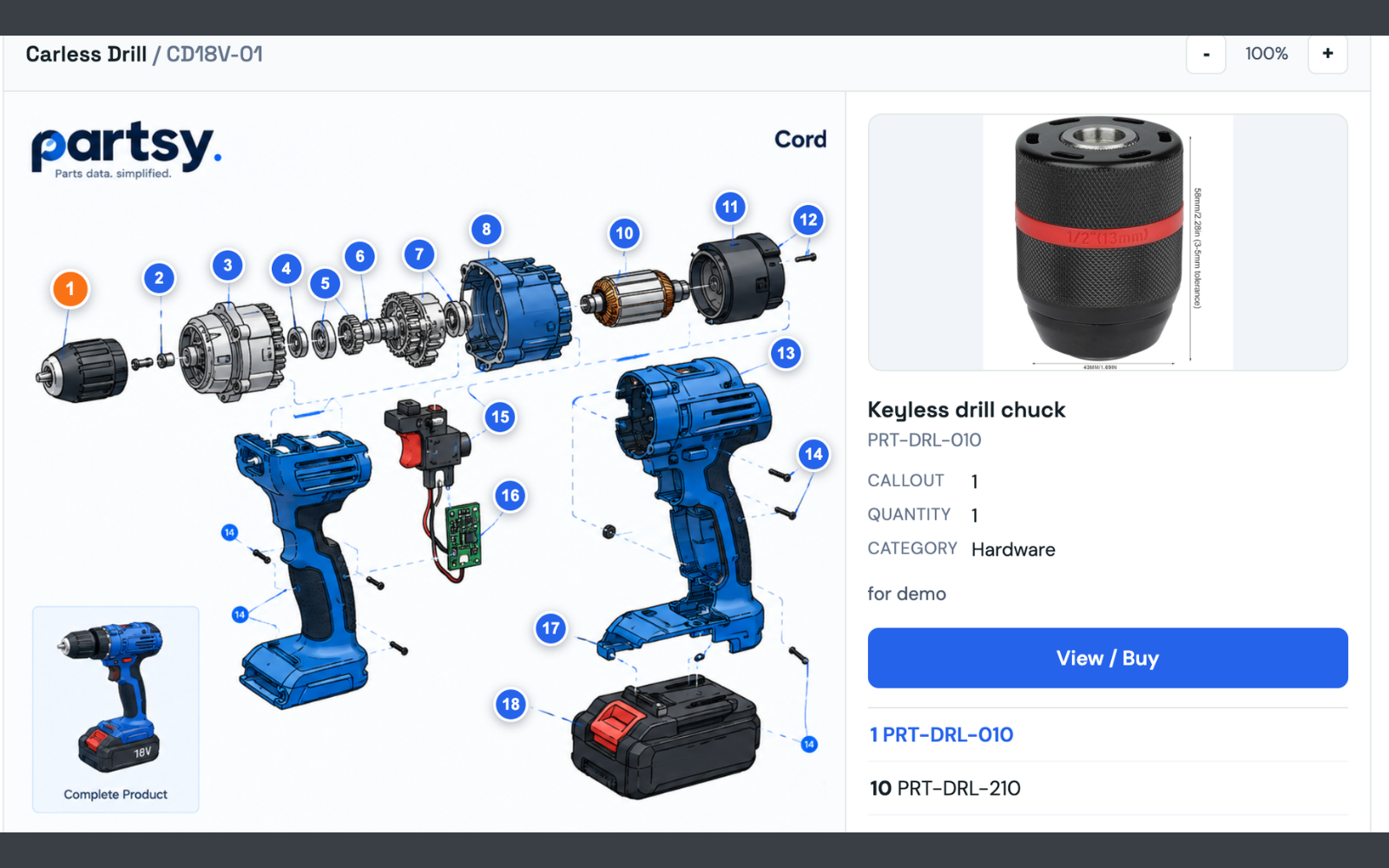
The diagram itself becomes the interface: numbered callouts a shopper can click, each opening the part's photo, its number, and a View / Buy path to the product page that sells it. This is the only one of the four that matches how a buyer actually thinks — by position, not by number.
Where it breaks: it is real software to build and to maintain, and it has to be rendered somewhere. That leads to the second question below.
4. A separate parts portal
A standalone site or marketplace just for parts, with its own login and its own catalogue. Worth it when the audience genuinely differs from your storefront's: dealer networks, trade accounts, warranty ordering.
Where it breaks: it is a second destination with its own SEO problem, its own login and its own reasons for a shopper to bounce back to a search engine. If the buyers are the same people who already shop on your storefront, you have doubled your maintenance for no extra reach.
The two questions that usually decide it
Can a buyer reach the exact part without knowing its number?
Ask this in the demo, literally. Hand over a machine and a part that sits somewhere awkward inside it, then count the interactions from landing on the page to a basket containing that part. If the answer begins with “they can search by…”, you have your answer.
Does it render where your buyers already are?
An interactive diagram inside your existing storefront inherits everything that already works: checkout, tax, shipping, analytics, and the pages search engines already trust. One that lives outside it has to earn all of that again, from zero.
A practical test: after installation, how many places would you have to change a price? If the answer is two, you have built a second catalogue.
What to ignore in a demo
- Feature lists. “3D” and “AI-powered” are not criteria. A numbered 2D diagram that a buyer finishes using beats a 3D model nobody rotates.
- Integration counts. A logo wall says nothing about whether the integration for your platform needs a theme edit, a recompile, or a server-side change.
- “It is just a script tag.” Ask what that script authenticates with. If the answer is your account's secret key sitting in the page source, anyone who views source holds your credential. A catalogue that needs a reusable secret in the browser is a security defect, not a feature.
- Mock-ups of your own catalogue. A demo built from your data is worth ten generic ones. If a vendor cannot render your actual diagram before you sign, ask why.
The honest framing. If your problem is catalogue hygiene across hundreds of thousands of SKUs — enrichment, syndication, attribute normalisation — you want a PIM, and a diagram layer will not solve it. If your problem is that buyers can already see the diagram and still cannot buy from it, that is a storefront problem, and it is the one this category solves.
Where Partsy sits, plainly
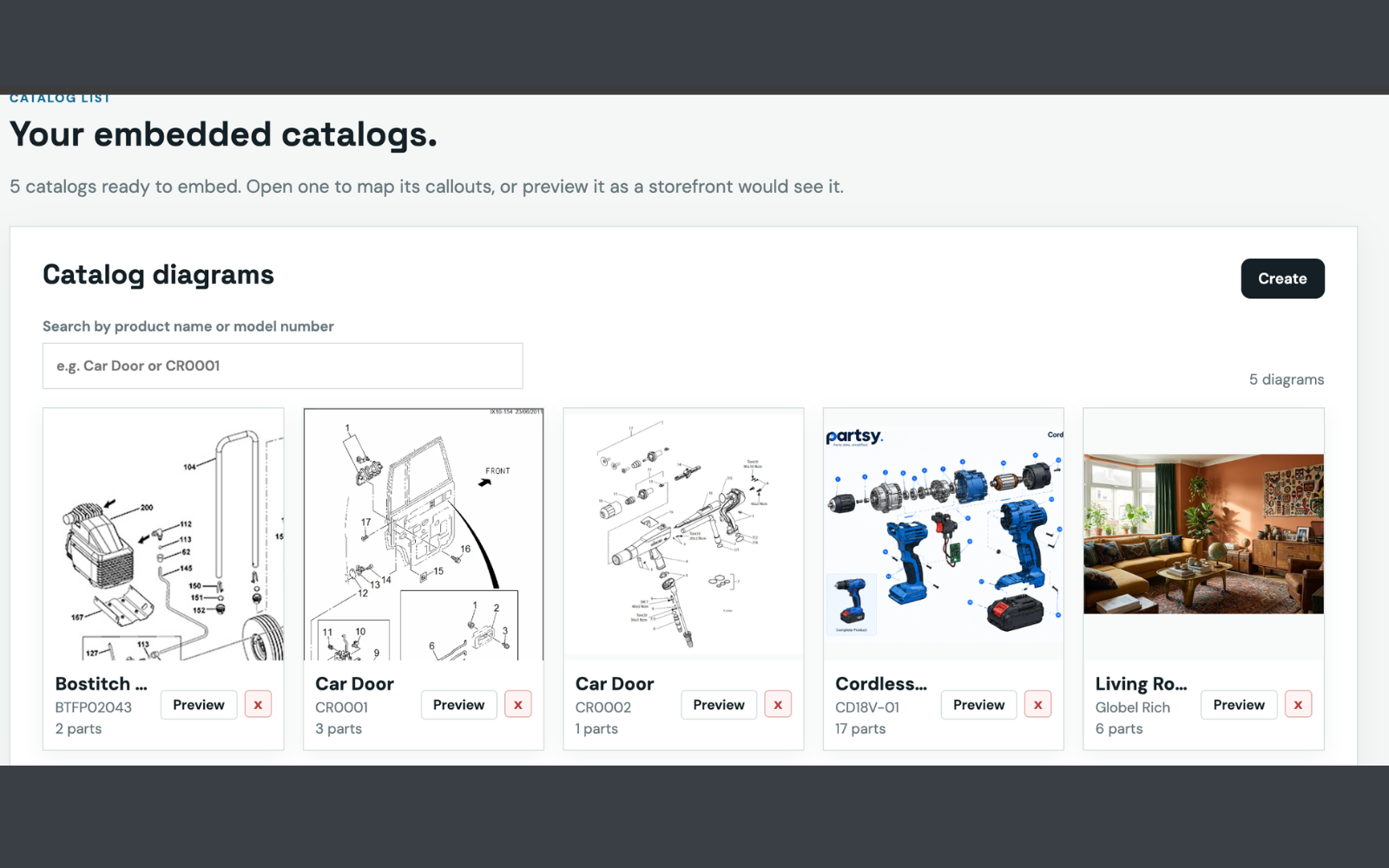
Partsy is the third approach. It renders an interactive exploded parts diagram inside the storefront you already run, on the platform you already use, and it is deliberately not a PIM and not a replacement for your catalogue. There are packaged integrations for Shopify, WooCommerce, Magento and Adobe Commerce, BigCommerce and Shopware, plus a snippet for anything else.
If you would rather build it yourself, that is a defensible decision and we wrote down what it involves. If you want to know what it costs either way, that is the next post. And if you are about to talk to any vendor, take the twelve questions with you.